For catching bugs and enforcing style in JVM codebases, start with SonarQube, Find Security Bugs and PMD, then look at the narrower tools: Error Prone, detekt, SonarLint and google-java-format. This shortlist is for Java and Kotlin developers and the CI pipelines they maintain, and it moves from broad coverage to single-purpose tools.
The shortlist
Side-by-side comparison
| Tool | Who it is for | Platforms | Pricing |
|---|---|---|---|
 SonarQubeSonar | Teams that want one platform for code quality gates in CI | Managed cloud or self-hosted server (including air-gapped); major Git platforms; common editors | Pricing on sonarsource.com |
 Spotbugs-like FindBugs Security BugsOWASP | Java web application teams auditing for security bugs | IDE plugins for Eclipse, IntelliJ / Android Studio and NetBeans; Ant and Maven; Jenkins and SonarQube | Pricing on find-sec-bugs.github.io |
 PMDPMD | Rule-driven Java checks with custom rules | Command line; Windows install via Chocolatey; Eclipse plugin and other IDE and CI plugins | Pricing on pmd.github.io |
 Error ProneGoogle | Catching Java mistakes during the build | Standard Java build, with Bazel Java compilation documented as an example | Pricing on errorprone.info |
 detektdetekt | Kotlin projects that need code smell checks in Gradle builds | Gradle, Maven and Bazel; Android, JVM, JS, Native and Multiplatform projects | Pricing on detekt.dev |
| SonarLintSonar | Developers who want feedback inside the editor | Visual Studio, VS Code, Eclipse and the JetBrains IDE family; GitHub Codespaces and GitPod | Pricing on sonarsource.com |
 google-java-formatGoogle | Enforcing one Java formatting style | JDK or GraalVM native binary; IntelliJ and Eclipse plugins; Maven plugin; GitHub Action | Pricing on github.com |
Quick verdict by need
- SonarQube if you need teams that want one platform for code quality gates in CI.
- Spotbugs-like FindBugs Security Bugs if you need java web application teams auditing for security bugs.
- PMD if you need rule-driven Java checks with custom rules.
- Error Prone if you need catching Java mistakes during the build.
- detekt if you need kotlin projects that need code smell checks in Gradle builds.
- SonarLint if you need developers who want feedback inside the editor.
Tool details
#1 · Sonar
SonarQube
Teams that want one platform for code quality gates in CI
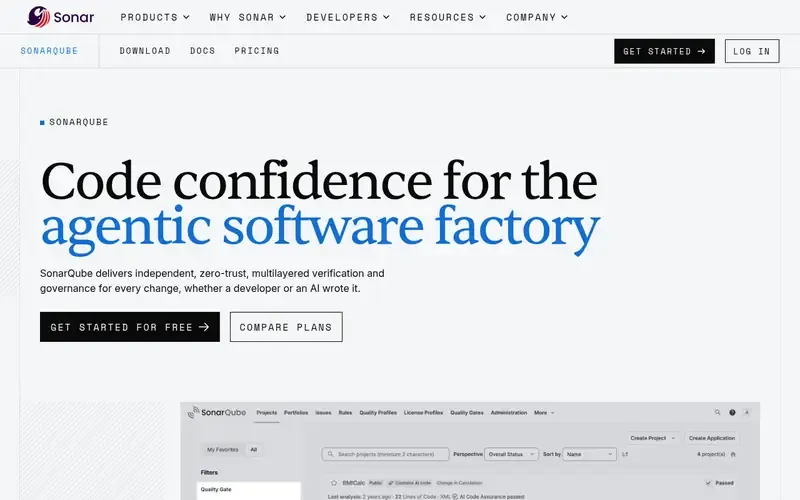
SonarQube is a code quality and security platform that automates reviews of human-written and AI-generated code. It is available as managed cloud or as a self-hosted server.
Documented strengths
- Analyzes branches and pull requests for bugs, maintainability issues and technical debt across 45+ languages
- Quality gates decide what merges and record every check
- SAST and taint analysis trace untrusted input to find injection flaws
- Quality gate results appear in pull requests on major Git platforms
- Server edition can run self-managed, including air-gapped
Documented limits
Software composition analysis is documented as requiring SonarQube Advanced Security. Teams that need it should check the vendor documentation for what is included in their setup.
- Who it is for
- Teams that want one platform for code quality gates in CI
- Platforms
- Managed cloud or self-hosted server (including air-gapped); major Git platforms; common editors
- Pricing
- See the vendor's own pricing page for current plans and costs. sonarsource.com
- Facts checked
- 21 November 2026
Why it is placed here: It sits first because it covers 45+ languages and combines bug detection, security analysis and merge gating in one platform.
#2 · OWASP
Spotbugs-like FindBugs Security Bugs
Java web application teams auditing for security bugs
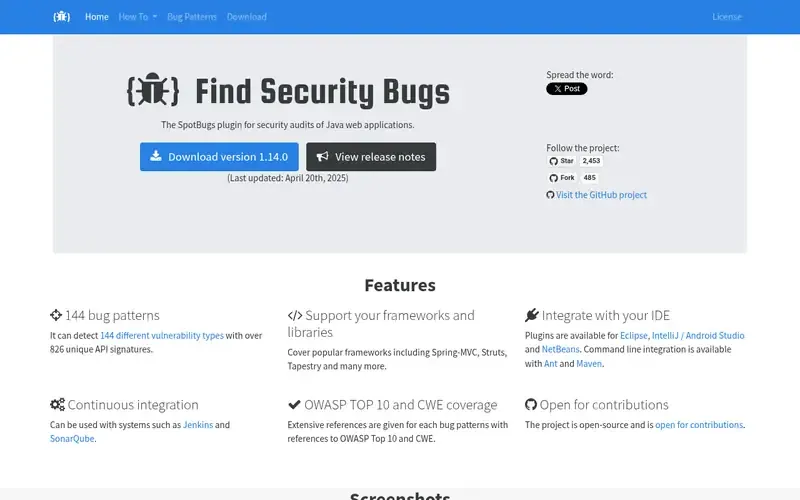
Find Security Bugs is an open-source SpotBugs plugin for security audits of Java web applications.
Documented strengths
- Detects 144 vulnerability types using over 826 unique API signatures
- Covers Spring-MVC, Struts and Tapestry
- Command line integration through Ant and Maven
- Works with CI and code quality systems such as Jenkins and SonarQube
- Resources for developers new to web application security
Documented limits
Documented for security audits of Java web applications. Teams that need Kotlin or general style checks should check the vendor documentation or pair it with other tools. The SonarQube integration works through the FindBugs plugin, version 3.2 or later.
- Who it is for
- Java web application teams auditing for security bugs
- Platforms
- IDE plugins for Eclipse, IntelliJ / Android Studio and NetBeans; Ant and Maven; Jenkins and SonarQube
- Pricing
- See the vendor's own pricing page for current plans and costs. find-sec-bugs.github.io
- Facts checked
- 22 November 2026
Why it is placed here: It follows SonarQube as a focused security layer for Java, with documented framework coverage and CI integration.
#3 · PMD
PMD
Rule-driven Java checks with custom rules
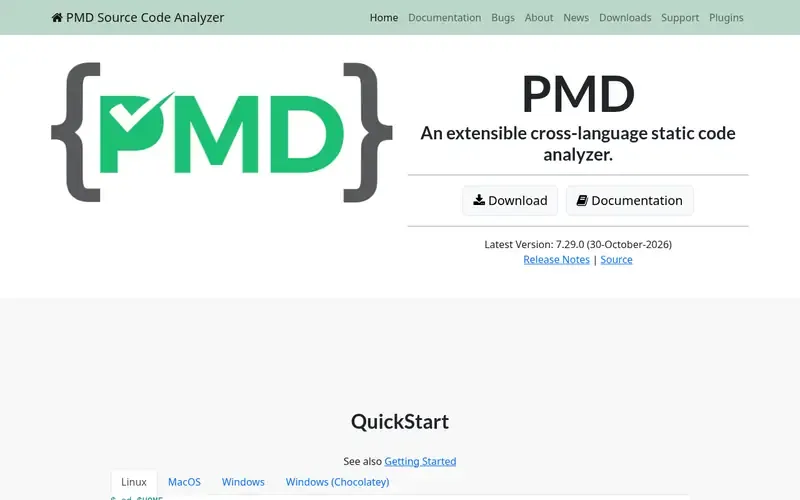
PMD is an extensible, cross-language static source code analyzer that finds common programming flaws such as unused variables, empty catch blocks and unnecessary object creation.
Documented strengths
- More than 400 built-in rules
- Custom rules written in Java or as XPath queries
- CPD copy-paste detector for duplicated code
- Run from the command line with the check command
- Plugins for IDEs and CI tools, including an Eclipse plugin released alongside PMD
Documented limits
PMD focuses mainly on Java and Apex and supports 16 other languages. Teams relying on Kotlin should check the vendor documentation for the rules available. Scala is supported but has no Scala rules currently.
- Who it is for
- Rule-driven Java checks with custom rules
- Platforms
- Command line; Windows install via Chocolatey; Eclipse plugin and other IDE and CI plugins
- Pricing
- See the vendor's own pricing page for current plans and costs. pmd.github.io
- Facts checked
- 21 November 2026
Why it is placed here: It comes next as a rule-based analyzer that focuses mainly on Java, lists Kotlin among its supported languages, and includes duplicate-code detection.
#4 · Google
Error Prone
Catching Java mistakes during the build
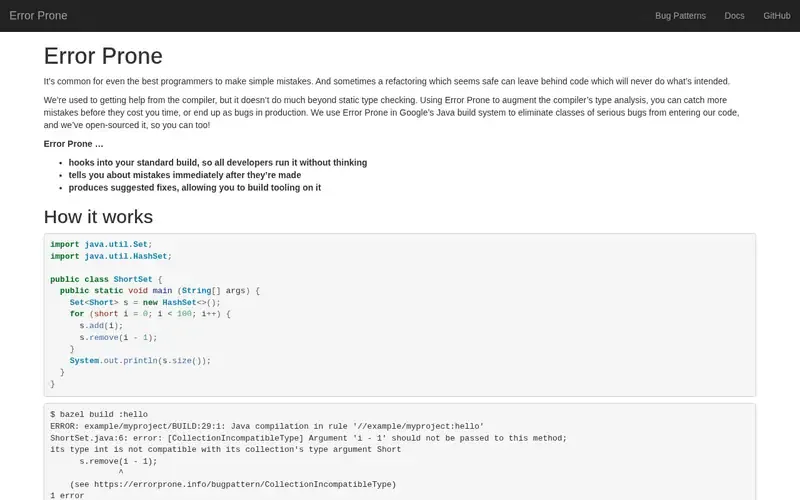
Error Prone is a Google-developed, open-source tool that augments the Java compiler's type analysis to catch mistakes at build time.
Documented strengths
- Hooks into the standard build so all developers run it automatically
- Reports mistakes immediately after they are made
- Findings carry a named bug pattern, such as CollectionIncompatibleType, with a descriptive message
- Produces suggested fixes, so tooling can be built on top of it
- Findings surface as compilation errors, for example in a Bazel Java compilation
Documented limits
Documented as an addition to the Java compiler. Teams that need Kotlin analysis, style enforcement or a central dashboard should check the vendor documentation.
- Who it is for
- Catching Java mistakes during the build
- Platforms
- Standard Java build, with Bazel Java compilation documented as an example
- Pricing
- See the vendor's own pricing page for current plans and costs. errorprone.info
- Facts checked
- 21 November 2026
Why it is placed here: It sits here as a compile-time checker that fills the gap left by the compiler's static type checking, a different approach from the rule-based tools above.
#5 · detekt
detekt
Kotlin projects that need code smell checks in Gradle builds
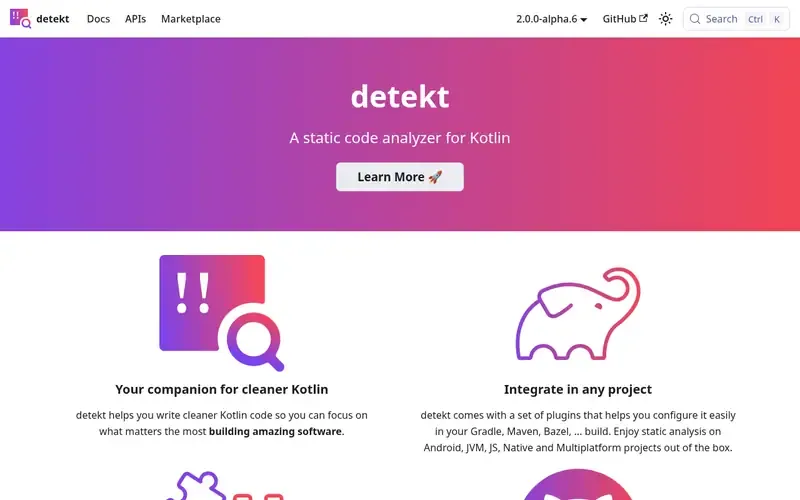
detekt is an open-source static code analyzer for Kotlin that performs code smell analysis and is configurable and extensible.
Documented strengths
- Plugins for Gradle, Maven and Bazel, plus a first-party Gradle plugin
- Baselines suppress existing issues in legacy projects while blocking new ones
- Reports in HTML, Markdown, SARIF and Checkstyle (XML) formats
- Custom rule sets and reports, plus third-party plugins
- Wrapper over ktlint available as a rule set
Documented limits
Documented for Kotlin projects. Teams with Java code in the same repository should check the vendor documentation or add a Java analyzer.
- Who it is for
- Kotlin projects that need code smell checks in Gradle builds
- Platforms
- Gradle, Maven and Bazel; Android, JVM, JS, Native and Multiplatform projects
- Pricing
- See the vendor's own pricing page for current plans and costs. detekt.dev
- Facts checked
- 21 November 2026
Why it is placed here: It is the Kotlin-specific entry, placed after the broader tools because its scope is Kotlin only.
#6 · Sonar
SonarLint
Developers who want feedback inside the editor
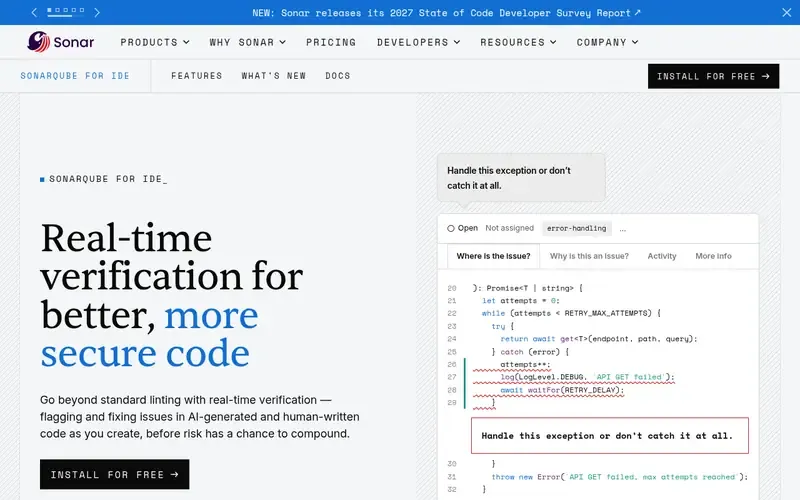
SonarLint, now called SonarQube for IDE, is an editor extension that gives real-time feedback on bugs and security vulnerabilities, with guidance and quick fixes as you code.
Documented strengths
- Detects bugs, code smells, vulnerabilities and security hotspots
- Explains why each issue is harmful and how to fix it
- Connected Mode syncs rules and quality gates from SonarQube Server or SonarQube Cloud
- Focus-on-new-code setting filters the list to issues from the current development cycle
- Diff views, quick fixes and AI-generated fixes
Documented limits
It works in the editor and is not a CI gate on its own. Teams that need pipeline enforcement should check the vendor documentation on Connected Mode and SonarQube.
- Who it is for
- Developers who want feedback inside the editor
- Platforms
- Visual Studio, VS Code, Eclipse and the JetBrains IDE family; GitHub Codespaces and GitPod
- Pricing
- See the vendor's own pricing page for current plans and costs. sonarsource.com
- Facts checked
- 21 November 2026
Why it is placed here: It sits here as an editor-side tool that moves feedback to before commit, and it pairs with SonarQube through Connected Mode.
#7 · Google
google-java-format
Enforcing one Java formatting style
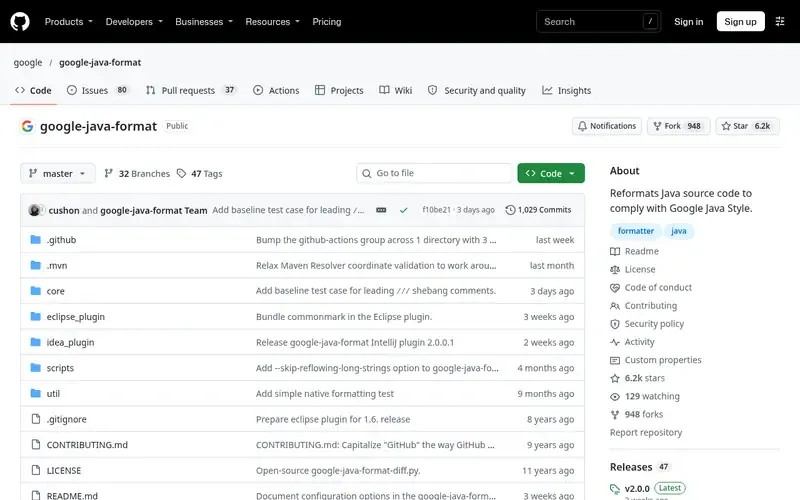
google-java-format is an open-source program from Google that reformats Java source code to comply with Google Java Style.
Documented strengths
- Formats whole files, limited lines or offsets, and prints to stdout or replaces in place
- Maven plugin can deploy it as a pre-commit git hook
- GitHub Action can format Java files on push
- Style flag selects Google or AOSP style, with Google as the default
- Column limit is configurable and defaults to 100
Documented limits
It deliberately offers almost no configurability and does not detect bugs. It must run on a JDK at least as new as the Java language version of the files being formatted, though GraalVM-based native binaries are available.
- Who it is for
- Enforcing one Java formatting style
- Platforms
- JDK or GraalVM native binary; IntelliJ and Eclipse plugins; Maven plugin; GitHub Action
- Pricing
- See the vendor's own pricing page for current plans and costs. github.com
- Facts checked
- 21 November 2026
Why it is placed here: It closes the list because it only handles formatting, which makes it a useful style layer next to the analyzers above.
Sources
- SonarQube: sonarsource.com/products/sonarqube (21 Nov 2026)
- Spotbugs-like FindBugs Security Bugs: find-sec-bugs.github.io, find-sec-bugs.github.io/security.htm (22 Nov 2026)
- PMD: pmd.github.io (21 Nov 2026)
- Error Prone: errorprone.info (21 Nov 2026)
- detekt: detekt.dev, detekt.dev/docs/intro (21 Nov 2026)
- SonarLint: sonarsource.com/products/sonarqube/ide, sonarsource.com/solutions/ai (21 Nov 2026)
- google-java-format: github.com/google/google-java-format, github.com/about, github.com/features (21 Nov 2026)
Related guides
How we compiled this
We looked at how well each tool fits the job of catching bugs and enforcing style in JVM code, what its documentation says it can do, and which build systems, editors and CI setups it documents. Tools that cover several languages and concerns come first. Tools that do one job, such as Kotlin smell detection or Java formatting, follow. The order reflects editorial fit for this use case, explained in each entry, and it does not say any tool is better overall.
All facts come from the official vendor or project pages, with the check date recorded for each. The list is built from documentation rather than product trials, so where a tool's pages are silent on something, we say so and suggest checking the vendor documentation.
Order used: Ordered by breadth of JVM coverage first, then more specialized single-purpose tools.
Common questions
Which tools cover both Java and Kotlin?
SonarQube analyzes 45+ languages. PMD focuses mainly on Java and lists Kotlin among its supported languages. SonarLint supports the JetBrains IDE family, Eclipse, VS Code and Visual Studio. detekt is Kotlin-only and Error Prone is documented for Java builds.
Can I run static analysis in CI for a Kotlin project?
detekt is run from Gradle with the detekt task and provides plugins for Gradle, Maven and Bazel. It can write SARIF and Checkstyle (XML) reports, which suits CI pipelines.
How do I adopt a linter on a legacy codebase without fixing everything first?
detekt documents baselines that suppress existing issues while making sure no new issues are introduced. SonarLint has a focus-on-new-code setting that filters the issue list to problems from the current development cycle.
What is the difference between a formatter and a static analyzer?
google-java-format reformats Java source to Google Java Style and offers almost no configuration. Analyzers such as PMD, Error Prone and SonarQube look for flaws and bugs. Many teams use both kinds.
Is SonarLint the same as SonarQube for IDE?
Yes. SonarQube for IDE was formerly known as SonarLint. In Connected Mode it links to SonarQube Server or SonarQube Cloud so local analysis uses the same rules and policies as central projects.
The editorial order is unpaid. A vendor can buy one labelled featured slot per guide, but it gets the same fact check as everyone else and cannot alter or remove a competitor's entry. Guidehurst is independent. Product names and logos belong to their respective owners.