Silverfort, Duo Security and RSA SecurID are the first three tools on this shortlist for adding multi-factor authentication to VPNs, RDP and older applications that lack native MFA. It is written for IT teams protecting legacy and on-premises systems. LinOTP and multiOTP follow as open-source options with documented integrations for RADIUS, OpenVPN and Remote Desktop Web Access.
The shortlist
Side-by-side comparison
| Tool | Who it is for | Platforms | Pricing |
|---|---|---|---|
 SilverfortSilverfort | Teams that need MFA on legacy apps, command-line tools and OT without modifying the systems | On-prem, OT, hybrid, cloud and multi-cloud environments | Pricing on silverfort.com |
 Duo SecurityCisco | Organizations wanting MFA, SSO and device trust in one workforce platform | Not stated on official pages | Pricing on duo.com |
 RSA SecurIDRSA Security | High-assurance organizations, including government and finance, that want hardware authenticators and on-premises options | Cloud, hybrid and on-premises environments (ID Plus); SecurID is on-premises | Pricing on rsa.com |
 LinOTPLSE Leading Security Experts | Small to mid-sized teams and cloud providers wanting self-run OTP with VPN and RADIUS integrations | Not stated on official pages | Pricing on linotp.org |
 multiOTPSysCo | Teams that want a self-hosted, open-source two-factor server for RADIUS, SSH and Remote Desktop Web Access | Docker container, Synology devices, and Proxmox, OVA and Hyper-V appliances based on Debian 13 | Pricing on multiotp.net |
Quick verdict by need
- Silverfort if you need teams that need MFA on legacy apps, command-line tools and OT without modifying the systems.
- Duo Security if you need organizations wanting MFA, SSO and device trust in one workforce platform.
- RSA SecurID if you need high-assurance organizations, including government and finance, that want hardware authenticators and on-premises options.
- LinOTP if you need small to mid-sized teams and cloud providers wanting self-run OTP with VPN and RADIUS integrations.
- multiOTP if you need teams that want a self-hosted, open-source two-factor server for RADIUS, SSH and Remote Desktop Web Access.
Tool details
#1 · Silverfort
Silverfort
Teams that need MFA on legacy apps, command-line tools and OT without modifying the systems
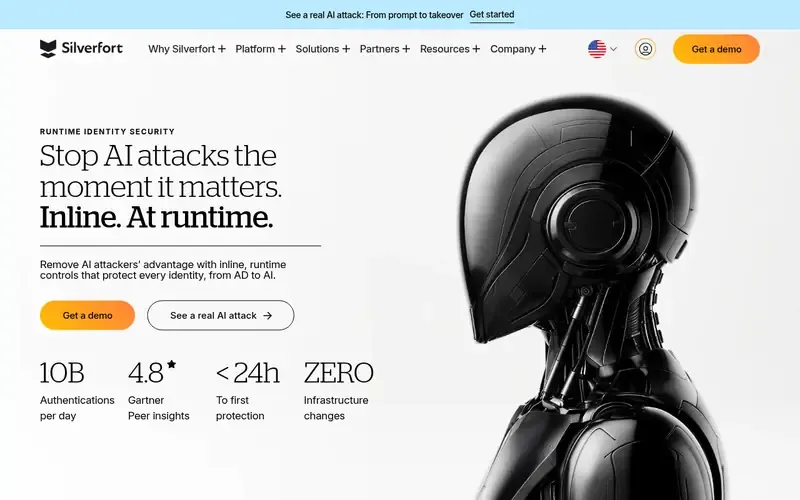
Silverfort is a runtime identity security platform that provides inline protection for human, machine and AI agent identities across Active Directory, cloud, SaaS, legacy systems and OT.
Documented strengths
- Universal MFA extended to legacy apps, command-line tools and OT infrastructure
- Inline enforcement at authentication through Runtime Access Protection (RAP)
- Per-request context analysis that can allow, challenge or block
- Integration with Active Directory, cloud IdPs, SaaS, legacy systems and OT
- Privileged access controls without a vault, including least privilege and JIT access
Documented limits
Silverfort works alongside the customer's existing IAM infrastructure, so it is documented as a protection layer rather than a standalone directory. Specific VPN or RDP products are not named on the pages we used.
- Who it is for
- Teams that need MFA on legacy apps, command-line tools and OT without modifying the systems
- Platforms
- On-prem, OT, hybrid, cloud and multi-cloud environments
- Pricing
- See the vendor's own pricing page for current plans and costs. silverfort.com
- Facts checked
- 22 November 2026
Why it is placed here: It sits first because it explicitly documents extending MFA to legacy apps, command-line tools and OT infrastructure with no agents or code changes.
#2 · Cisco
Duo Security
Organizations wanting MFA, SSO and device trust in one workforce platform
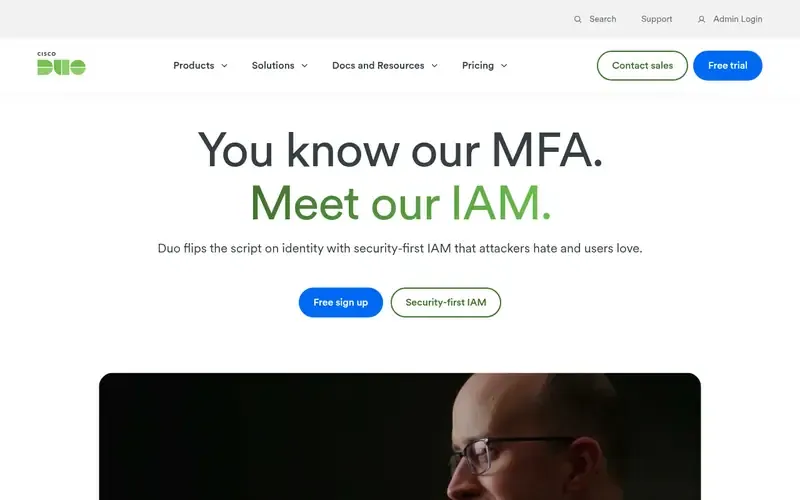
Cisco Duo is an identity security and IAM platform that combines phishing-resistant MFA, SSO, passwordless login, a directory and device trust for workforce access.
Documented strengths
- Phishing-resistant MFA described as needing no extra hardware
- Can run as a full IAM solution or broker existing identity sources
- Risk-based authentication that adapts in real time
- Device trust with endpoint protection checks in the top edition
- Remote access to private resources without a VPN in the top edition
Documented limits
The pages we used do not name specific VPN, RDP or legacy-protocol integrations; teams with older applications should check the vendor documentation. Several capabilities are documented for higher editions only.
- Who it is for
- Organizations wanting MFA, SSO and device trust in one workforce platform
- Platforms
- Not stated on official pages
- Pricing
- See the vendor's own pricing page for current plans and costs. duo.com
- Facts checked
- 21 November 2026
Why it is placed here: It sits second because it is a full IAM stack that can broker existing identity sources and, in its top edition, offers remote access to private resources without a VPN.
#3 · RSA Security
RSA SecurID
High-assurance organizations, including government and finance, that want hardware authenticators and on-premises options
RSA provides identity and access management products, including the on-premises SecurID line, ID Plus and Governance & Lifecycle, for government, finance and high-assurance organizations.
Documented strengths
- SecurID on-premises product line
- MFA with passcodes, biometrics or hardware authenticators
- Passwordless authentication using FIDO2, biometrics and hardware tokens
- Risk-based authentication using machine learning and behavioral analytics
- FedRAMP-authorized identity security for government agencies
Documented limits
Documented for high-assurance identity and access management; the supplied pages do not list specific VPN, RDP or legacy-application integrations, so teams should check the vendor documentation.
- Who it is for
- High-assurance organizations, including government and finance, that want hardware authenticators and on-premises options
- Platforms
- Cloud, hybrid and on-premises environments (ID Plus); SecurID is on-premises
- Pricing
- See the vendor's own pricing page for current plans and costs. rsa.com
- Facts checked
- 21 November 2026
Why it is placed here: It sits third because SecurID is a documented on-premises product line and RSA offers hardware tokens, but the pages do not describe protocol-level coverage for VPN or RDP.
#4 · LSE Leading Security Experts
LinOTP
Small to mid-sized teams and cloud providers wanting self-run OTP with VPN and RADIUS integrations
LinOTP is an open source, enterprise-level OTP platform for strong authentication, developed and maintained by netgo GmbH.
Documented strengths
- OATH-certified authentication and token handling
- Documentation guides for OpenVPN and FreeRADIUS integration
- Microsoft Active Directory over LDAP or LDAPS, read-only with no schema extension
- Policy framework for administrative roles, authentication rules and token properties
- Signed, tamper-proof audit log, with an SQL audit module for PCI-DSS requirements
Documented limits
Documented as an OTP platform, so teams should check the vendor documentation for RDP and application-specific integrations. Server components are AGPLv3 licensed, and a commercial Smart Virtual Appliance is offered as part of enterprise support.
- Who it is for
- Small to mid-sized teams and cloud providers wanting self-run OTP with VPN and RADIUS integrations
- Platforms
- Not stated on official pages
- Pricing
- See the vendor's own pricing page for current plans and costs. linotp.org
- Facts checked
- 22 November 2026
Why it is placed here: It sits fourth because it documents OpenVPN and FreeRADIUS integration guides and read-only Active Directory connectivity, which suit older infrastructure, while its scope is mostly one-time-password authentication.
#5 · SysCo
multiOTP
Teams that want a self-hosted, open-source two-factor server for RADIUS, SSH and Remote Desktop Web Access
multiotp.netmultiOTP is an open source, OATH-certified strong two-factor authentication PHP library and server package from SysCo.
Documented strengths
- OATH HOTP/TOTP with QR code provisioning for apps such as FreeOTP and Google Authenticator
- Documentation for FreeRADIUS 3.x on Linux, SSH login on Linux and Remote Desktop Web Access on Windows
- Free Credential Provider for many Windows versions
- User synchronization from Active Directory
- SMS tokens, PSKC (RFC 6030) and MS-CHAPv2 support
Documented limits
The open source edition is a PHP class under the GNU LGPL; ready-to-use virtual appliances are offered only in the commercial Pro and Enterprise editions. Teams should check the vendor documentation for the Windows versions the Credential Provider supports.
- Who it is for
- Teams that want a self-hosted, open-source two-factor server for RADIUS, SSH and Remote Desktop Web Access
- Platforms
- Docker container, Synology devices, and Proxmox, OVA and Hyper-V appliances based on Debian 13
- Pricing
- See the vendor's own pricing page for current plans and costs. multiotp.net
- Facts checked
- 22 November 2026
Why it is placed here: It sits last because it is a smaller-scope open-source option, but its documentation directly covers FreeRADIUS, SSH login and Remote Desktop Web Access.
Sources
- Silverfort: silverfort.com, silverfort.com/company/#about-us, silverfort.com/platform (22 Nov 2026)
- Duo Security: duo.com, duo.com/about, duo.com/product (21 Nov 2026)
- RSA SecurID: rsa.com, rsa.com/products, rsa.com/solutions (21 Nov 2026)
- LinOTP: linotp.org, linotp.org/about.html, linotp.org/features.html (22 Nov 2026)
- multiOTP: github.com/multiOTP/multiotp/wiki (22 Nov 2026)
Related guides
How we compiled this
We looked at how well each tool fits the job of putting MFA in front of systems that cannot do it themselves. That meant checking the capabilities each vendor documents (legacy and on-premises coverage, supported authentication methods, directory integration, protocol integrations) and the deployment and platform details on official pages. Two tools from our initial candidate list, Thales SafeNet Trusted Access and SecureAuth, were left out because their documented focus is cloud and web access and AI agent governance rather than legacy protocols.
All facts come from official vendor pages and were checked at the time of writing. The order reflects editorial fit for this use case, with the widest documented legacy and on-premises coverage first, and it is explained in words in each entry; it does not say one product is better overall. The list is built from documentation, not product trials, so confirm protocol and version support with each vendor before deciding.
Order used: Ordered by breadth of coverage for legacy protocols and on-premises systems, widest coverage first.
Common questions
How can I add MFA to applications that do not support it?
Silverfort documents extending MFA to legacy apps, command-line tools and OT infrastructure with no agents or code changes. Open-source options such as LinOTP and multiOTP instead add a second factor through integrations like RADIUS, which suits systems that can authenticate against such a server.
How do I add MFA to RDP?
multiOTP documents adding 2FA to Remote Desktop Web Access on Windows and offers a free Credential Provider for many Windows versions. Silverfort documents covering legacy systems at authentication time. Check each vendor's documentation for your exact RDP setup.
Which tools document VPN integration?
LinOTP provides documentation guides for OpenVPN and FreeRADIUS integration, and multiOTP documents FreeRADIUS 3.x integration on Linux. Duo's top edition offers remote access to private resources without a VPN. For other VPN products, check the vendor documentation.
Are there open-source MFA options?
Yes. LinOTP has AGPLv3 server components and multiOTP's open source edition is under the GNU LGPL. Both are OATH certified, and both offer commercial editions or appliances.
Which tool suits high-assurance or government environments?
RSA documents FedRAMP-authorized identity security for government agencies and an on-premises SecurID product line with hardware authenticators. Duo also lists local and federal government among its stated audiences.
The editorial order is unpaid. A vendor can buy one labelled featured slot per guide, but it gets the same fact check as everyone else and cannot alter or remove a competitor's entry. Guidehurst is independent. Product names and logos belong to their respective owners.