Google Forms is an online form and survey builder in Google Workspace for gathering data and insights. It is used to create forms and surveys, share them with respondents and review the results.
- Tool
- Google Forms
- Made by
- Official sources
- google.com/forms/about
- Category
- Forms and surveys
- Checked
- 22 November 2026
Who makes Google Forms
Google Forms is made by Google and is part of Google Workspace.
The official website is linked below this article.
What Google Forms is for
Google Forms is for creating forms and surveys and gathering data from the people who fill them out. A form is built with multiple question types in a drag-and-drop interface, then shared by email, on social media or through a website embed.
Respondents can fill out forms on any device. Content such as questions, descriptions, images and videos can be added and edited after a form is created, so a form is not locked once it is built.
Who Google Forms is for
The vendor does not state a specific audience. From the features it lists, it suits anyone who needs to collect structured responses, including people running surveys or questionnaires and those building quizzes.
Premade templates are available for surveys and questionnaires, which gives a starting point for people who do not want to build a form from scratch.
Notable capabilities
Forms combines form building, response analysis and security features in one Workspace product. The capabilities below come from the vendor's description.
- Question types and drag-and-drop building: forms offer multiple question types and can be shared by email, social media or website embed.
- Templates: premade templates are available for surveys and questionnaires.
- Conditional logic and quizzes: Forms supports both.
- Branding: forms can be branded with colors, images and fonts.
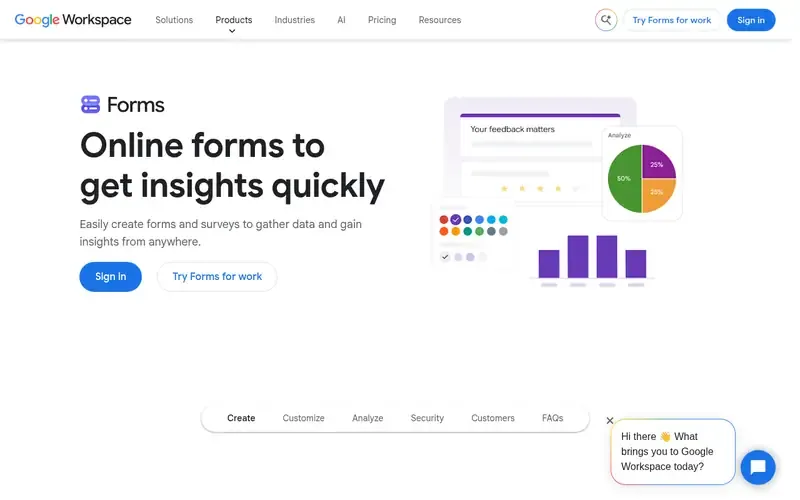
- Real-time charts: Forms shows automated charts of responses in real time.
- Export to Google Sheets: response data can be exported to Google Sheets.
- Collaboration: Forms supports collaboration on forms and results.
- Saved progress: progress is saved as a draft for 30 days for signed-in respondents.
How Google Forms fits forms and surveys
In the forms and surveys category, Google Forms covers the core workflow: build a form, share it, collect responses and look at the results. Its connection to Google Sheets and its place in Google Workspace make it a natural option for teams already working in those tools.
On security, files in Forms and files uploaded to Drive are encrypted in transit and at rest. Google says Forms undergoes independent verification of its security, privacy and compliance controls, and it includes advanced malware protection. For Guidehurst readers exploring software and business tools across many categories, Forms is a reference point for what a general-purpose survey builder includes.
Common questions
What is Google Forms used for?
Google Forms is used to create forms and surveys and gather data. It also supports quizzes and shows automated charts of responses in real time.
Can I export Google Forms responses to Google Sheets?
Yes. Response data can be exported to Google Sheets.
Does Google Forms support conditional logic?
Yes. Forms supports conditional logic and quizzes.
Can I edit a form after creating it?
Yes. Content such as questions, descriptions, images and videos can be added and edited after a form is created.
Is data in Google Forms encrypted?
Files in Forms and uploaded to Drive are encrypted in transit and at rest.
Related guides
Sources checked
Checked 22 November 2026 (Asia/Dhaka):
Guidehurst is independent and not affiliated with Google. Product names belong to their owners.